


- By DigitalMarketingClub
- No Comments
- Blog
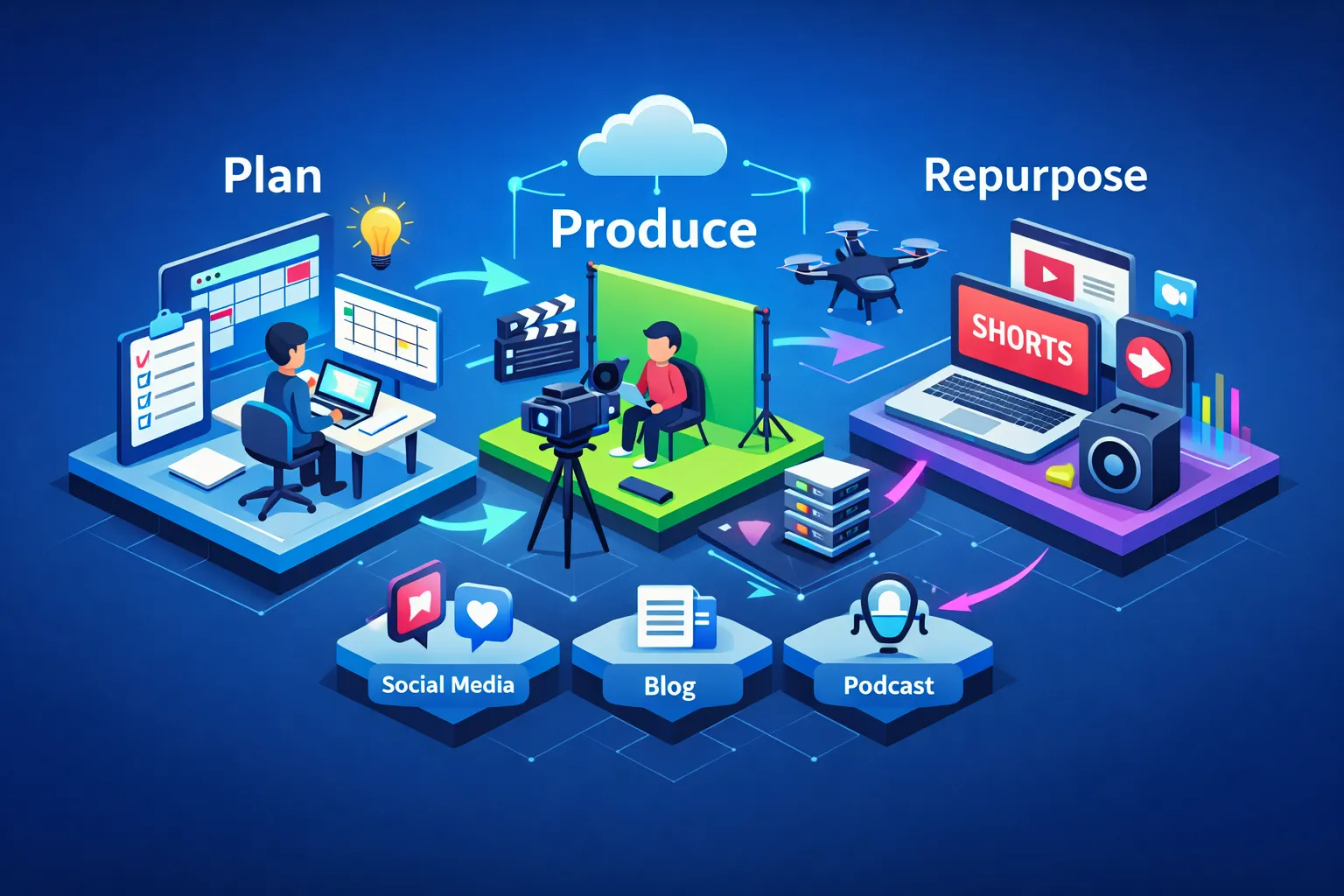
Make one long-form video your content factory: record a complete asset, then slice it into platform-native clips that multiply reach without multiplying production time. This is the practical payoff of a video-first strategy—fewer shoots, more distribution, clearer analytics. The workflow below is workshop-tested inside Digital Marketing Club, where creators grab brief templates, export presets and live feedback to iterate faster.
By the end you’ll have a repeatable roadmap, a compact gear checklist, recommended editing tools and AI shortcuts, repurposing templates for YouTube, TikTok, Instagram and LinkedIn, plus the KPIs and a 30‑day sprint to scale.
Plan once: a video-first roadmap that scales
Start with one long-form asset and design every shot to become many outputs. The trick is to plan the full-hub video as the canonical source, then map platform variants before you hit record. Use a concise brief so every take has reuse potential.
- Objective: One-sentence goal (e.g., “Teach freelancers how to price packages”).
- Target audience: Who this serves and where they hang out.
- Desired action (CTA): What you want viewers to do next.
- Core message: One-line summary the whole video must deliver.
- Three rapid hooks: Short openers for different platforms (curiosity, stat, direct address).
- Top 3 moments to capture: Timecode cues or short descriptions of high-value bites.
- Primary platform: Where the full asset will live (YouTube, podcast, course hub).
Map outputs logically: the long-form host becomes your YouTube hub; extract 15–60 second highlights for TikTok, Reels and Shorts; craft 30–60 second professional insight clips for LinkedIn. Use the “multiple openings” tactic: record 2–3 hooks, 2 endings and 1–2 transitional lines that let you stitch native-feeling cuts for vertical and horizontal formats. Action step: create a 30‑minute brief that lists the hooks and the top six timestamps you’ll use when editing.
Produce fast: minimal gear, batch shoots and a practical checklist
You don’t need a studio to look polished. Start phone-first and upgrade as you scale. Keep gear intentional so setup and teardown don’t eat your day.
- Minimal kit: smartphone (or mirrorless), lavalier mic, small LED panel, tripod, portable reflector.
- Next-step upgrades: two-camera setup, shotgun mic, softbox, small gimbal.
On shoot day follow a compact checklist: position your key light and check the background for clean lines; set framing for both vertical and horizontal (shoot a wider frame and keep distance so you can crop to 9:16 without losing composition); run an audio check with a loud test phrase and monitor levels; capture multiple takes with slightly different hooks and energy levels; record B-roll and any screen captures immediately after the main take while the setup is fresh. If you have a second camera, record a secondary angle to create motion in edits.
Realistic time and cost ranges: a 60‑second social clip typically costs $0–$200 and takes 4–8 hours from brief to publish for a solo creator. A 10‑minute YouTube hub is 20–40 hours and $100–$1,000 depending on outsourcing and asset needs. Batch to save time: film 3–5 pillar videos in one day, plus a library of 20–30 short hooks and quotes for fast repurposing.
Edit smarter: the tool stack, AI shortcuts and a repurposing workflow
Assemble the longest, highest-value version first—your hub—and then make short-form clips from that master. Tools matter less than templates and routines, but pick software that matches your skill and need for AI assistance. For guidance on organizing your editorial process, review this content creation workflows guide.
Recommend tools: DaVinci Resolve for pro-grade free editing; CapCut Desktop for fast social edits; Adobe Premiere Pro for pro ecosystems; Movavi, CyberLink PowerDirector and Wondershare Filmora for accessible, AI-assisted shortcuts like auto-subtitles and noise removal. We cover specific editors in our FlexClip review and InVideo review, and this roundup of the best video editors compared can help you choose.
- Create a high-resolution master and back it up.
- Rough cut the hub and mark top timestamps (quotes, tip moments, emotional beats).
- Export the full-length video for your hub with chapters and anSEO-optimized description.
- From the marked timestamps assemble short clips that open with the hook, deliver the value, and close with the CTA.
- Apply platform presets (aspect ratio, codec, length), burn or embed captions, and export with a consistent filename convention (YYYYMMDD_topic_platform_v1).
AI-assisted shortcuts that save hours: auto-transcripts to find precise timestamps; noise removal and silence detection to speed the rough cut; auto-subtitles and smart scene detection to batch clip creation. Efficiency tip: set export presets for your four target platforms so clipping and exporting become near‑one-click tasks.
Repurpose with purpose: platform playbooks and clip templates
YouTube (long-form hub)
Focus on watch time. Publish the full asset with clear chapters, an SEO-rich description, and two 30–60 second Shorts that tease the hub. Use a thumbnail that previews the problem and promise—then link other platform content back to this host.
TikTok & Instagram Reels (short-form)
Lead with a hook in the first 1–3 seconds, add bold captions, fast pacing and a vertical crop. Use trending sounds selectively and always end with a clear CTA (link in bio or “full video on YouTube”). Test 15–30 second lengths aggressively; if a clip performs, rotate variations with different hooks.
LinkedIn (professional clips)
Pull 15–60 second insight clips with a clear professional hook and slightly slower pacing. Start with the value, then state your CTA (download guide, watch full video). On LinkedIn, comments and thoughtful captions amplify reach—ask a question in your post to invite discussion.
Four reusable clip templates
Quick Hook Reel: 0–3s hook, 8–12s tight value, 2–3s CTA/brand card. Keep text large and readable. Quote Graphic Clip: 15–30s provocative line with animated text overlay and a short source/CTA. Tutorial Snippet: 30–60s problem → single-step solution → CTA to full guide. Teaser-to-Full Funnel: 15–30s cinematic teaser that ends on an open loop and points to the full video with explicit link placement instructions.
Visual rules: always add captions, use high-contrast text, show a small logo for 2–3 seconds only, and verify that your clips work with sound off. Schedule short clips to drop in the days leading up to the hub publish to funnel attention and create discovery paths back to the full asset. This approach aligns with a broader multi-channel video marketing strategy, and for additional content repurposing tactics you can review practical examples and checklists.
Measure, iterate and scale: KPIs, benchmarks and a 30‑day sprint
Track views, watch time (or average view duration), audience retention (identify exact drop-off seconds), engagement (likes + comments + shares ÷ views), CTR (impressions → views), and followers/subscribers gained. Compare similar clips to isolate variables like hook, length and thumbnail. If you’re optimizing for YouTube specifically, review key YouTube metrics to prioritize watch time and retention.
| Platform | Retention / Completion | Engagement Range |
|---|---|---|
| YouTube (long-form) | 40–60% (long), Shorts 70%+ | 2–5% |
| TikTok | Completion 60–80% | 5–18% |
| Instagram Reels | Completion 50–70% | 1–3% |
| Completion 40–60% | 2–6% |
Simple analysis steps: open the retention graph and note the second where most viewers drop; test a new opening that changes that moment. Three quick experiments: swap the opening hook, shorten to a 15s variant, or change the CTA placement and compare retention and CTR.
30‑day sprint (copy-and-run)
Week 1: Plan and script three pillar topics using the brief template; list hooks and six top timestamps per brief. Week 2: Batch shoot: record three long-form assets, 6–9 hooks, B-roll and screen captures. Week 3: Edit the hubs, publish one full-length video with chapters, and create six short clips. Week 4: Publish clips across platforms, monitor retention for each, run two experiments, and iterate based on retention and engagement.
Conclusion — next steps and community
Two simple truths: build the hub first, and design every take with reuse in mind. That structure turns a single recording day into weeks of publishable content.
Next steps: pick your first topic and book a two-hour recording block; import the brief into your editor and mark six timestamps. Download the brief, clip templates, export presets and an editable sprint checklist inside the Video & Visual Marketing directory at Digital Marketing Club, and join a live lab to get peer feedback on your first week’s videos. Use the sprint to feed your inbound pipeline—see our Predictable Inbound Lead Generation system for converting video attention into leads. Share results, iterate, and let the community accelerate your learning curve.